
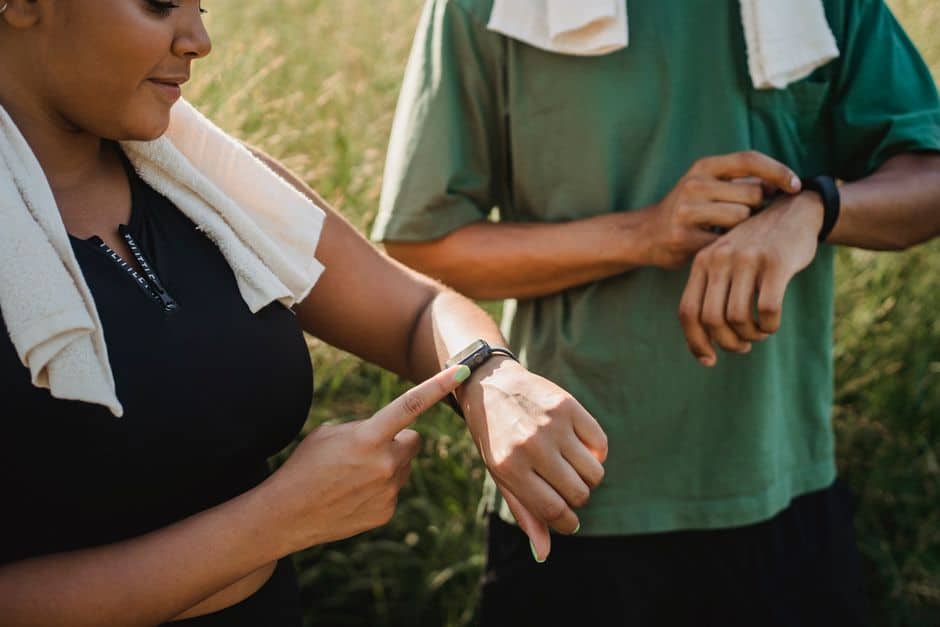
What’s the big deal with wearables right now (and why should Waikato locals care)?
Smartwatches and fitness trackers have quietly shifted from “nice-to-have gadgets” to everyday health tools. They can log steps, sleep, heart rate, oxygen saturation (SpO2), and sometimes ECG (electrocardiogram) traces. The big trend isn’t the tech itself—it’s the way people are using wearables to spot changes earlier, have better conversations with clinicians, and build healthier routines.
In practical terms, wearables can help with:
- Early flags for irregular heart rhythms (like possible atrial fibrillation) in some people
- Long-term tracking of resting heart rate and activity patterns (useful for noticing “something’s off”)
- Recovery and pacing if you’re managing long COVID, post-viral fatigue, or returning to exercise
- Medication and appointment reminders (small prompts can be surprisingly powerful)
That said, wearables can also create confusion or anxiety if you treat every alert like a diagnosis. This FAQ is about getting the benefits without the panic.
Can a smartwatch actually detect serious issues like atrial fibrillation?
Sometimes, yes—but with important caveats. Some watches can detect irregular rhythms using optical sensors (PPG) and/or record an on-demand ECG. These features can prompt people to seek care sooner, particularly if they’ve had symptoms like palpitations, dizziness, chest discomfort, or unexplained shortness of breath.
Real-world example: A person notices repeated “irregular rhythm” notifications over a few weeks, particularly at rest. They book a GP visit, share timestamps and any ECG PDFs, and the GP arranges further testing (like a 12-lead ECG or Holter monitor). If atrial fibrillation is confirmed, management might include medications and stroke-risk assessment.
But here’s the catch: false positives happen—especially with motion, poor sensor contact, or naturally variable heart rhythms. And false negatives can happen too (no wearable is perfect).
Actionable tip: If your wearable flags an irregular rhythm, note:
- What you were doing at the time (sleeping, exercising, sitting)
- Any symptoms (lightheadedness, palpitations, chest pain)
- Whether you can capture an ECG reading (if your device supports it)
What health numbers should I actually pay attention to?
Wearables throw a lot of stats at you. Focusing on a few high-signal, low-drama metrics tends to be more useful.
1) Resting heart rate (RHR)
Your RHR is one of the simplest “trend” indicators. A sudden increase (for example, 5–15 beats per minute higher than your usual for several days) can happen with stress, dehydration, alcohol, illness, poor sleep, or overtraining.
Tip: Compare your RHR week-to-week, not hour-to-hour. One spiky day isn’t automatically a problem.
2) Heart rate recovery (HRR) after activity
How quickly your heart rate drops after you stop moving can reflect fitness and recovery. Many watches show this automatically after a walk/run. If your recovery is consistently slower than normal, you might be run down or doing too much too soon.
Tip: Use HRR to guide training load: if recovery is worse than usual and you feel flat, choose a lighter day.
3) Sleep timing and consistency (not just “sleep score”)
Sleep staging estimates aren’t perfect, but bed/wake times are often good enough to help you see patterns. Consistency is a huge win: a regular wake time tends to improve sleep quality over time.
Tip: Aim for a steady wake-up time 5–6 days a week before you obsess over deep/REM percentages.
4) Blood oxygen (SpO2) and breathing-related trends
SpO2 on wearables can be noisy. But repeated low readings overnight—especially if paired with loud snoring, morning headaches, or daytime sleepiness—can be a reason to talk to your GP about possible sleep-disordered breathing.
Tip: Don’t panic over one low reading. Look for repeated patterns and how you feel.
How accurate are wearable readings, really?
Accuracy depends on the sensor type, device quality, and what you’re doing. Wrist-based optical heart rate can be quite good at rest but less reliable during fast arm movement, high-intensity exercise, or if the watch is loose.
Common reasons readings go weird:
- Cold hands or poor circulation
- Loose strap or watch sitting on the wrist bone
- Tattoos, skin tone, and hair (varies by device)
- High-impact sports (boxing, netball, rugby training drills)
Practical fix: Wear the device snugly, about a finger’s width above the wrist bone, and consider a chest strap for accurate exercise heart rate if you’re training seriously.
What should I do if my watch says my heart rate is “too high” or “too low”?
First: check how you feel. A number without symptoms is usually less urgent than symptoms without a number.
If your heart rate seems abnormal:
- Recheck by sitting quietly for 5 minutes and measuring again
- Check the basics: hydration, caffeine, alcohol, stress, recent illness
- Cross-check with a manual pulse (count beats for 30 seconds and double it)
Get urgent help (call emergency services) if you have chest pain, fainting, severe shortness of breath, or signs of stroke—don’t wait for another notification.
Book a GP visit if you notice repeated episodes, especially with symptoms. Bring a simple log: dates, times, what you were doing, and any ECG exports.
Can wearables help with long COVID or post-viral fatigue pacing?
Yes, wearables can be useful for pacing—mainly by helping people avoid “boom-and-bust” cycles. If you’re recovering from a virus and get wiped out after doing too much, tracking heart rate and daily activity can help you keep effort in a safer zone.
Practical pacing strategy (wearable-friendly):
- Pick a gentle daily step range you can handle without flare-ups (e.g., 3,000–5,000) and hold it steady for 1–2 weeks
- Watch for “warning signs” like rising resting heart rate and worsening sleep
- Increase activity slowly (e.g., 5–10% per week) only if symptoms are stable
Real-world example: Someone notices that days over 7,000 steps correlate with two days of fatigue and brain fog. They cap steps at 5,000 for two weeks, then increase gradually, using their watch to avoid accidental spikes.
Is “stress tracking” on wearables meaningful or just vibes?
Many devices estimate stress using heart rate variability (HRV). HRV is a real physiological measure, but wearable HRV is still an estimate and can be influenced by sleep, alcohol, illness, hydration, and even measurement timing.
Instead of treating stress scores as a judgment, treat them like a weather forecast: helpful for planning, not a definitive truth.
Actionable way to use it:
- If your HRV trends lower and resting heart rate trends higher for several days, schedule lighter workouts and prioritize sleep
- Run a 5-minute breathing session and see if the score improves over time (not instantly)
How do I share wearable data with my GP without overwhelming them?
Clinicians love helpful summaries and dislike data dumps. A clean, simple approach makes it easier to act on.
Bring:
- A 1-page summary: “What happened, when, how often, and how it felt”
- 3–5 key screenshots (not 50)
- Any ECG PDFs the device generates (if available)
Say: “Here are the dates and times my watch flagged irregular rhythm, and here’s what I felt. What’s the best next step?”
What about privacy—who can see my wearable health info?
Wearables often sync data to apps and cloud services. Privacy depends on the brand, your settings, and whether you’ve connected the app to third-party services (fitness apps, employer wellness programmes, social media challenges).
Quick privacy checklist:
- Review app permissions (location, contacts, microphone)
- Turn off public sharing by default
- Check whether your data is used for “product improvement” and whether you can opt out
- Use a strong password and enable multi-factor authentication
Do wearables actually improve health outcomes, or do they just make us obsess?
Both can be true. Wearables tend to work best when used as “tiny nudges” rather than constant surveillance. Step goals, movement reminders, and sleep consistency can support healthier habits. But if numbers start driving anxiety, it’s okay to step back.
A good rule: if tracking makes you feel more in control and helps you take sensible action, keep it. If it makes you feel worse, adjust what you track—or take breaks.
For broader public health guidance on digital health and how technology can support better health systems, it’s worth browsing resources from the World Health Organization.
What’s the best way to start using a wearable without spiralling into “data doom”?
Keep it simple for the first month. Pick one goal and one “check-in” habit.
A low-stress starter plan:
- Goal: add 1,500 steps/day to your current average (or a 10-minute walk after dinner)
- Check-in: review weekly trends every Sunday (not hourly)
- Optional: set a consistent wake time and watch what happens to your sleep length
Tip: Turn off non-essential notifications (especially frequent high/low heart rate alerts) unless you have a clinician-guided reason to keep them on.
FAQ lightning round: quick answers to common wearable questions
Do I need the newest model?
No. Consistent use beats fancy features. An older tracker that you wear daily is more useful than an expensive one you forget to charge.
Can wearables replace medical tests?
No. They can support earlier conversations and monitoring, but diagnosis and treatment decisions rely on clinical assessment and validated tests.
What if my watch says I slept great but I feel awful?
Trust your body. Use the device to spot patterns over time, not to override how you feel today.
Conclusion: use wearables as a helpful co-pilot, not the pilot
Wearables are at their best when they help you notice trends, stick to small habits, and communicate clearly with your healthcare team. Focus on a few metrics, look at patterns instead of single readings, and remember that alerts are prompts—not diagnoses. If your wearable is raising questions about your health, bring the most relevant info to your GP and work out the next step together.
Done right, a smartwatch won’t turn you into a full-time self-tracker. It’ll just give you a gentle, practical nudge toward earlier action and better everyday wellbeing.


